FastTempo for iPhone
A simple
fasting timer.
Choose your eating window, check the countdown, and record when you start and finish eating. No food or calorie logging.

Timer controls require an active subscription.
For iPhone running iOS 26 or later.
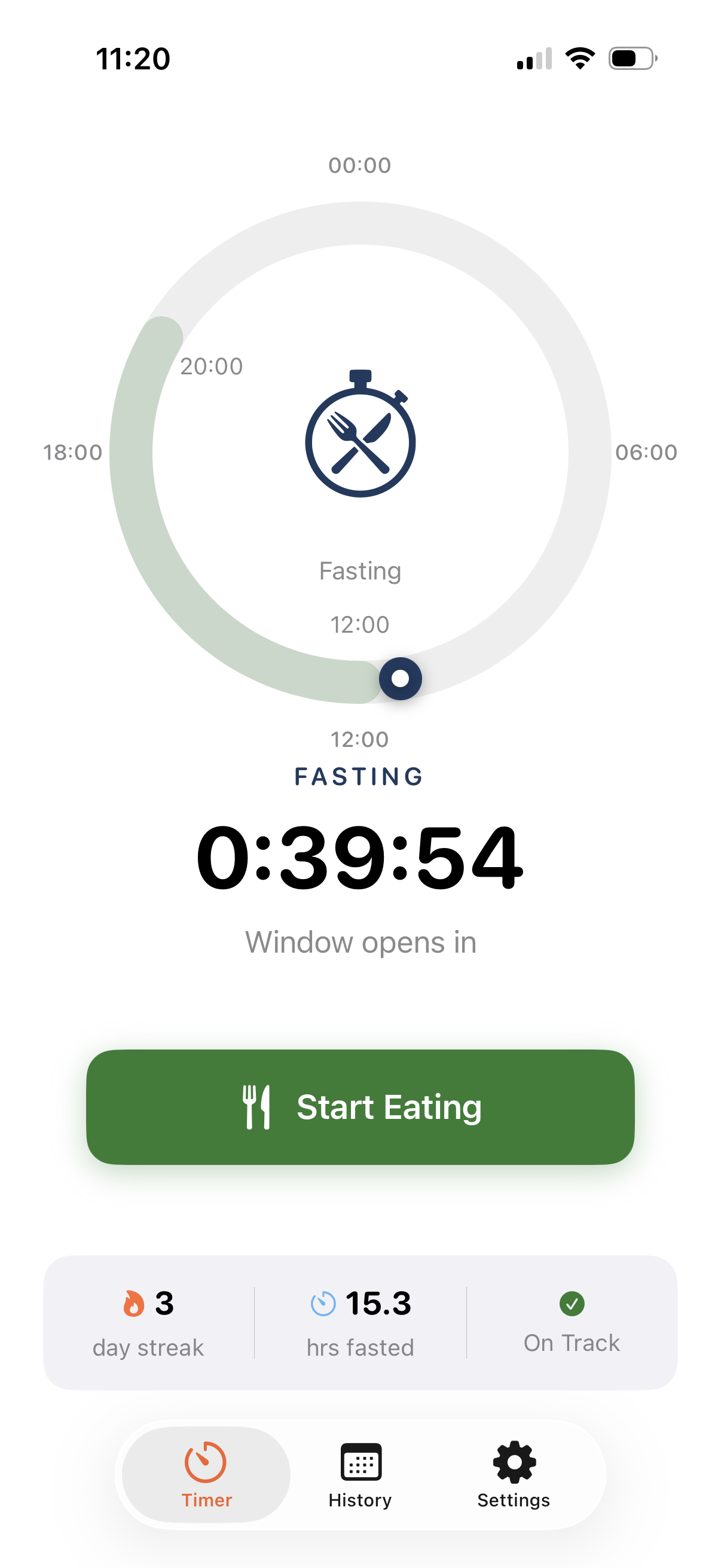
Real app capture. Device frame is illustrative.
Timing is the job
Keep track of when.
FastTempo records your eating windows and the fasting time between them. It doesn't calculate calories or tell you what to eat.
In your timer
- Your current eating or fasting state
- Time remaining in the current window
- Your scheduled start and end times
The circular view puts both windows on one 24-hour dial.
A routine you can repeat
Set a window. Track the changes.
-
Choose your times
Set your eating-window duration and start time on your iPhone. The timer shows the fasting window around that schedule.
-
Mark when you eat
Tap the Eat/Fast control when you start eating, then tap it again when you finish. Subscription access is required.
-
Check the countdown
See how much time remains in your current window. Your daily timing appears in History as you use the app.
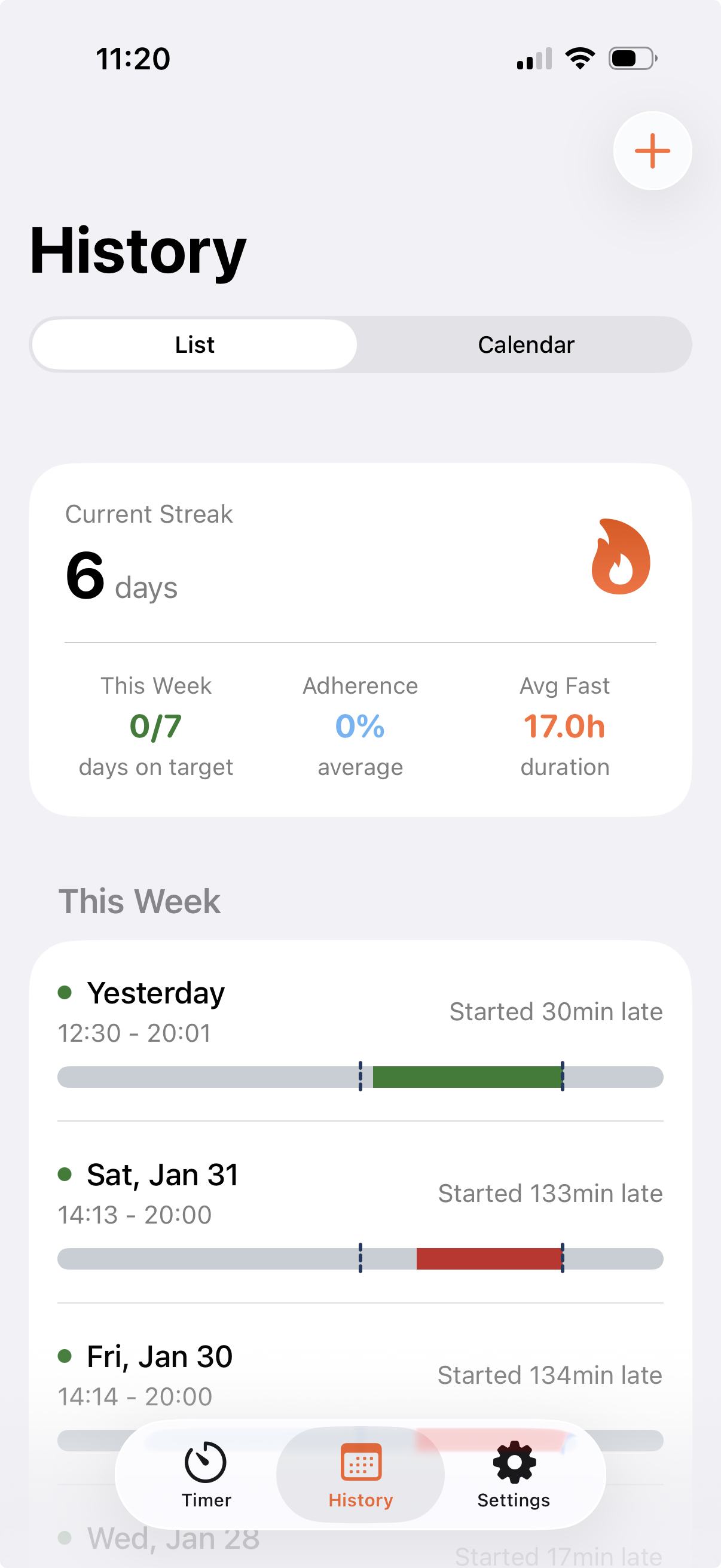
This is a separate app capture from the timer above.
A record of your routine
Look back at your timing.
Your history keeps the start and end times you record. Review the list or calendar to see how your eating windows fit the schedule you chose.
- Review daily eating-window records.
- See your current streak and average fasting duration.
- Compare recorded timing with your planned window.
Editing existing history records requires subscription access.
Before you download
What to know about the timer
Do I need to log meals or count calories?
No. FastTempo tracks your eating and fasting times. You don't need to enter foods, portions, calories, or recipes to use the timer.
Can I choose my own eating window?
Yes. Choose your eating-window duration and start time during onboarding. You can change your schedule in Settings when your routine changes. FastTempo shows the fasting time outside that window.
Does FastTempo automatically know when I eat?
No. Use the Eat/Fast control when you start or finish eating. If you enable Premium automatic scheduling, FastTempo switches according to your chosen schedule. It does not detect meals.
What can I see in my history?
Review eating-window records in a list or calendar, see your streak, and check your average fasting duration. Timing summaries compare your recorded windows with your schedule. Editing existing records requires subscription access.
Is a subscription required?
Yes. Starting and stopping the fasting timer requires an active FastTempo subscription. Check the purchase screen in the app for current prices, available plans, trial eligibility, renewal terms, and any commitment before subscribing. Existing history remains available when timer access is locked.
Your window, in view
Start tracking the time.
Get FastTempo for iPhone and choose your eating window.
Timer controls require an active subscription. Review the purchase terms in the app.