Introducing Pause Fasting in FastTempo Fasting Tracker
Plans change. A holiday, an illness, or an ordinary week that gets away from you can make a fasting schedule feel like the wrong thing to follow. Pause Fasting gives you a clear way to step away and come back when you are ready.
Choose how long to pause
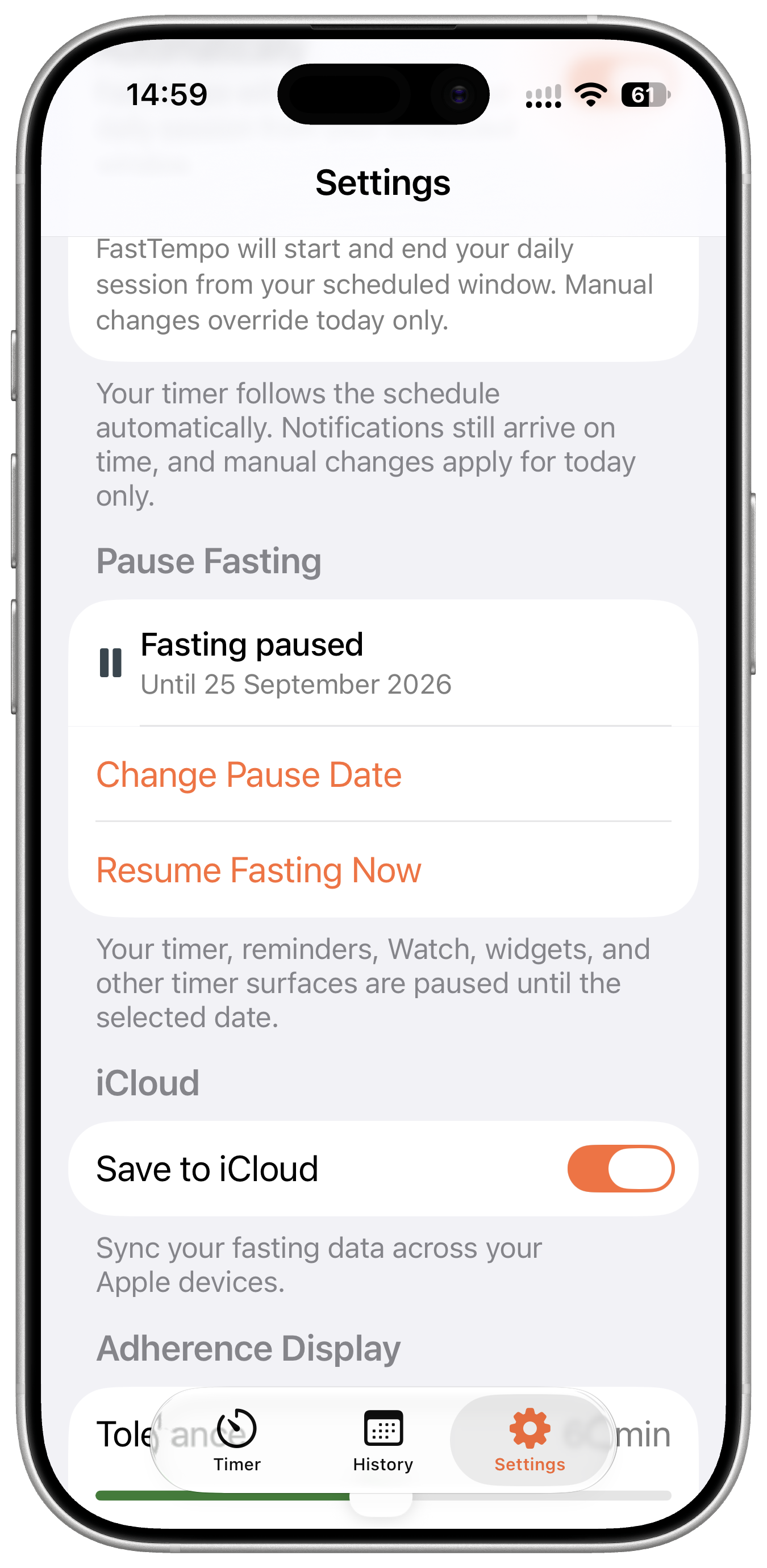
Open Settings in FastTempo and tap Pause Fasting. Choose today or a future date, then tap Save. The pause starts straight away.
The date you choose is included in the break. If you pause through Friday, your usual schedule returns at local midnight as Saturday begins. You can change the end date in Settings, or tap Resume Fasting Now if you want to return earlier.
See that your schedule is paused
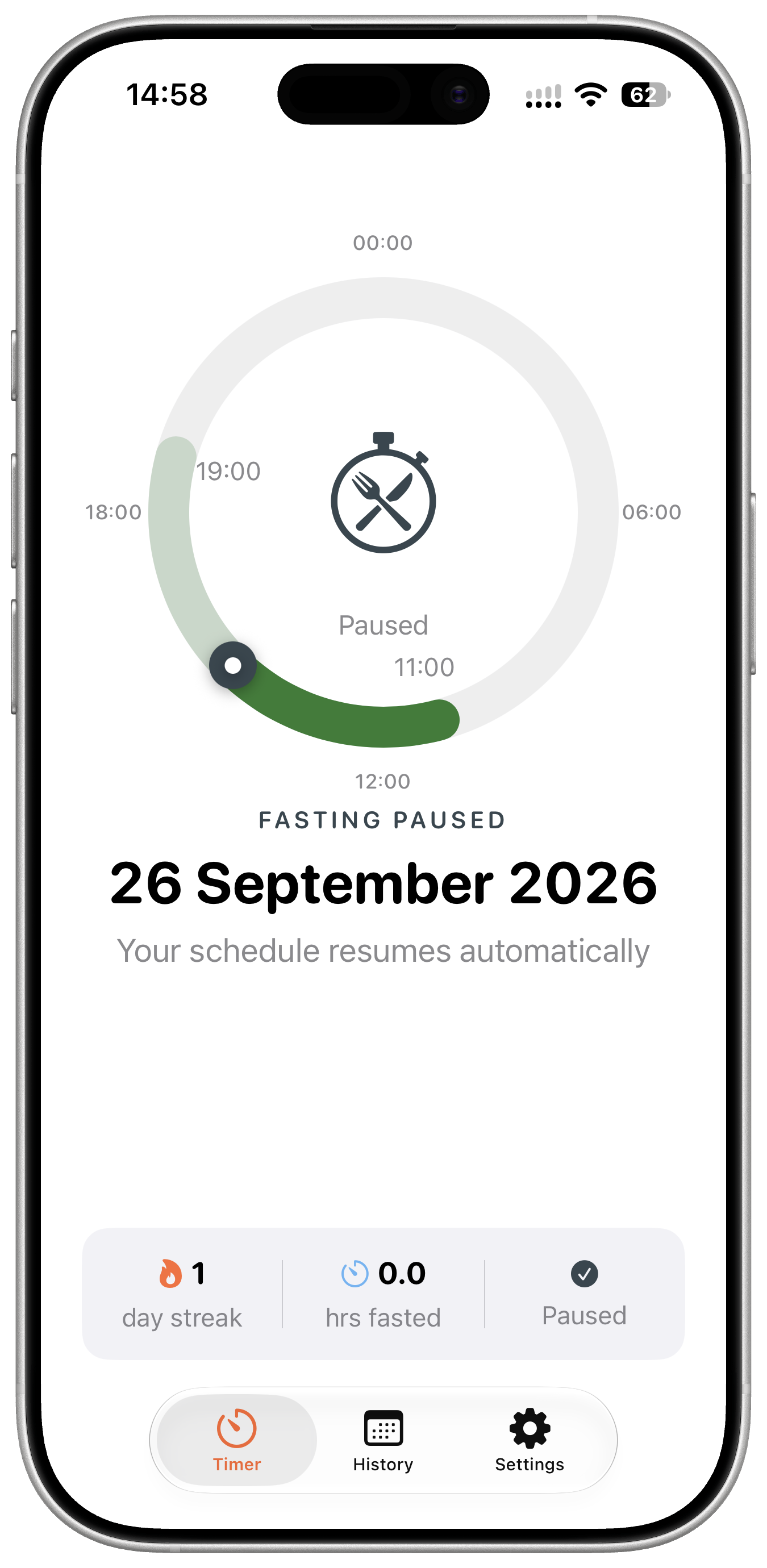
The timer shows Fasting Paused and the date your schedule will return. The paused state also appears on Apple Watch and supported widgets, so a quick glance reflects the break you chose.
In History, paused days are marked Paused in the list and calendar. You can see where the break fits in your record without mistaking it for a day you forgot to track.
Pause Fasting is available with FastTempo Premium. It is there for the days when following a timer does not make sense. Take the break you need, then return to the schedule you already set.