Know your window
See whether you're fasting or eating and how much time remains. No mental countdown.
FastTempo for iPhone + Apple Watch
A quick look at your wrist. Your current window, time remaining, and a way to switch between eating and fasting when your day changes.

Watch controls require Premium.
iOS 26+ · watchOS 26+ · Paired iPhone required for setup.
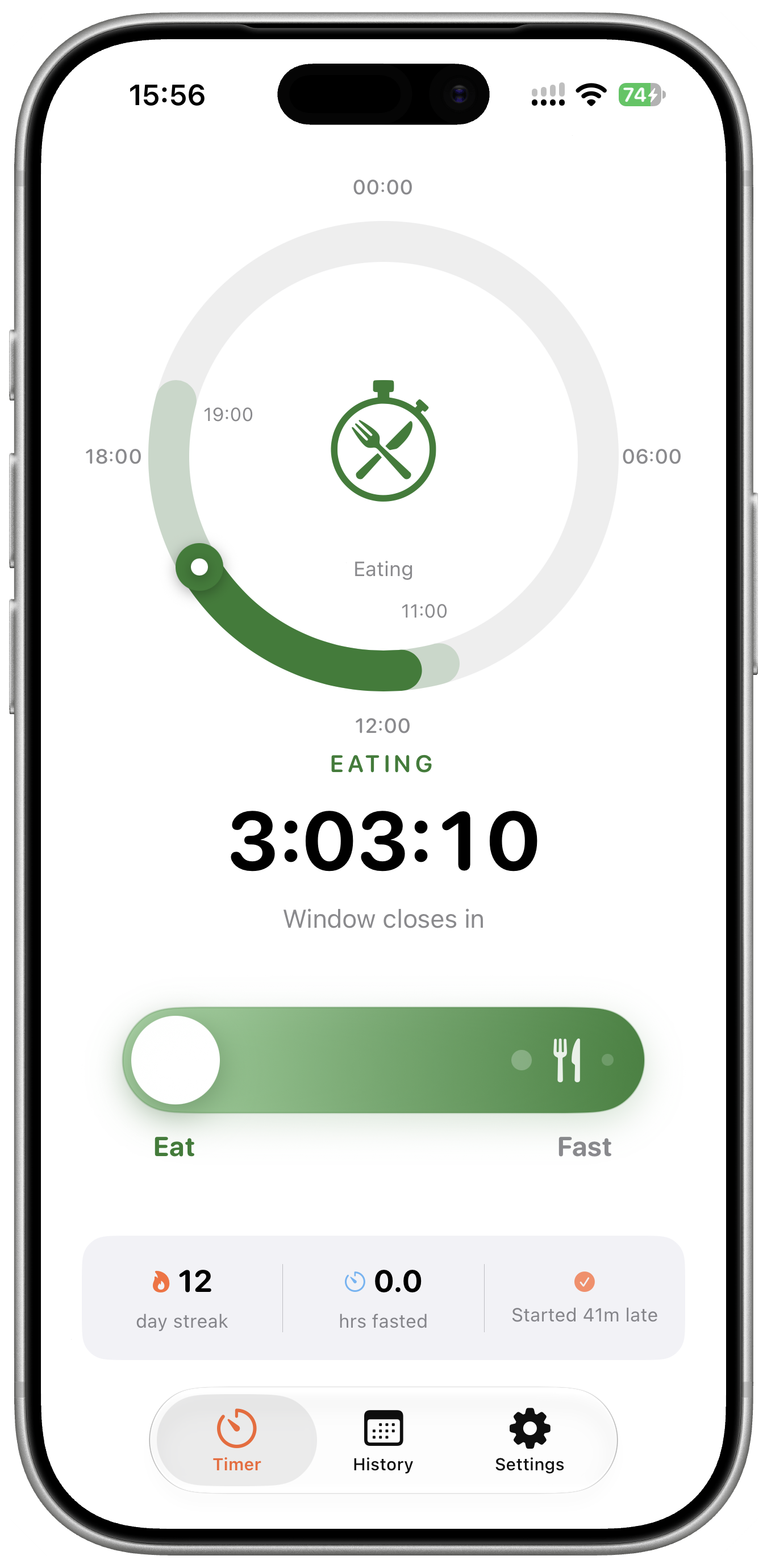
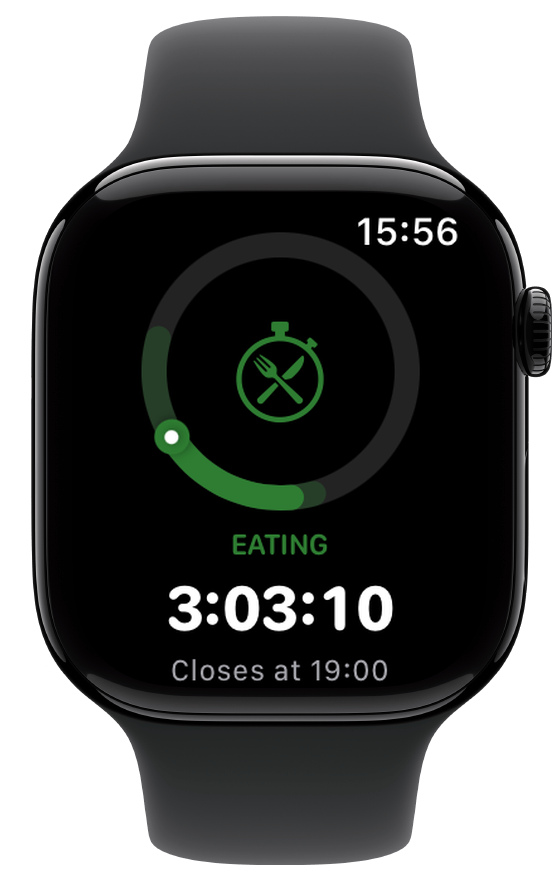
See whether you're fasting or eating and how much time remains. No mental countdown.
With Premium, scroll below the timer and tap the Eat/Fast control when you start or finish eating.
Add a FastTempo complication to a compatible face for a glance at your current status.
Your routine, with fewer checks
Your iPhone is the place to choose your schedule and review your history. Your Watch keeps the current window in view.
Read the Apple Watch setup guideDownload FastTempo on your iPhone, complete onboarding, and review the subscription options.
Install the Watch app using the paired iPhone's Watch app if needed. Open FastTempo on both devices and check your current state.
With Premium, tap Eat when you start eating and Fast when you finish. The control is below the timer. If your timer is paused, manage pause settings on your iPhone.
Before you download
A paired iPhone running iOS 26 or later and an Apple Watch running watchOS 26 or later. Use the iPhone for onboarding, schedule settings, and subscription setup.
Yes. Switching between eating and fasting on Apple Watch requires FastTempo Premium subscription access. Review current prices, trial eligibility, renewal terms, and any commitment on the purchase screen in the iPhone app before subscribing.
No. FastTempo tracks the windows you set and the changes you make. When you start or finish eating, use the Eat/Fast control. With Premium, you can also enable automatic schedule-based start and stop on your iPhone.
Set up FastTempo on your paired iPhone first. Watch and iPhone updates depend on their connection. After a disconnection, open both apps and confirm that their eating or fasting state agrees.
Yes. Add a FastTempo complication to a compatible watch face to see your status. Available complication styles depend on the face and position. The setup guide walks you through the options.
Need installation steps or help with syncing? Read the full guide or contact FastTempo support.
Keep your window in view
Get FastTempo for your iPhone and Apple Watch.
Watch controls require Premium. Review subscription terms in the app.